
Groq API
by console.groq.com
AI models and chat
Added on October 31st, 2026
Checked and working on November 1st, 2026
Visit console.groq.com →
What it does
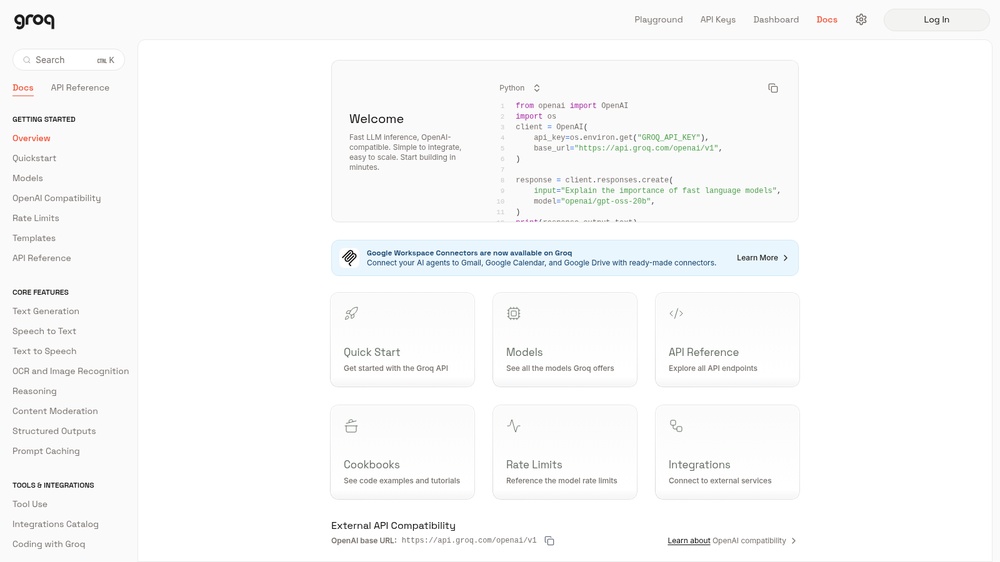
Groq runs open AI models on its own LPU chips, which makes responses very fast. The API offers chat and text generation with open models (such as Llama, Qwen and GPT-OSS), speech-to-text with Whisper and text-to-speech, and is compatible with the OpenAI API format, so existing code often works by changing the base URL. Responses are JSON. Free plan with a free API key and rate limits per model; paid plans for higher limits. An official MCP server (groq-mcp) lets AI agents call models hosted on Groq.
At a glance
- API key
- Needed, free · More APIs with a free key
- Pricing
- Free plan with a free API key and rate limits per model; paid plans for higher limits.
- From the browser
- Yes (CORS)
- Formats
- JSON
- Interface
- REST, MCP
- Provider
- console.groq.com
- Last checked
- Working on November 1st, 2026
More information: https://console.groq.com/docs/overview
Compare: Google Gemini API vs Groq API · OpenRouter vs Groq API
Used in: Build a chatbot on free AI API tiers
Is this your service? Show that it is listed
Put this badge on your website or in your README; it links to this page. About the badge

Example request
curl
curl -X POST 'https://api.groq.com/openai/v1/chat/completions' \
  -H 'Authorization: Bearer YOUR_API_KEY' \
  -H 'Content-Type: application/json' \
  -d '{"model": "llama-3.1-8b-instant", "messages": [{"role": "user", "content": "hello"}]}'
JavaScript
const response = await fetch("https://api.groq.com/openai/v1/chat/completions", {
  method: 'POST',
  headers: {
    "Authorization": "Bearer YOUR_API_KEY",
    "Content-Type": "application/json",
  },
  body: JSON.stringify({"model":"llama-3.1-8b-instant","messages":[{"role":"user","content":"hello"}]}),
});
const data = await response.json();
console.log(data);
Python
import requests

response = requests.post(
    "https://api.groq.com/openai/v1/chat/completions",
    headers={
        "Authorization": "Bearer YOUR_API_KEY",
        "Content-Type": "application/json",
    },
    json={
        "model": "llama-3.1-8b-instant",
        "messages": [
            {
                "role": "user",
                "content": "hello",
            },
        ],
    },
    timeout=30,
)
print(response.json())
Replace YOUR_API_KEY with your own key. The JavaScript works in a web page as well as in Node.js 18 or newer.